Elevate Your Video Content with YT Insta Stories for Premiere Pro
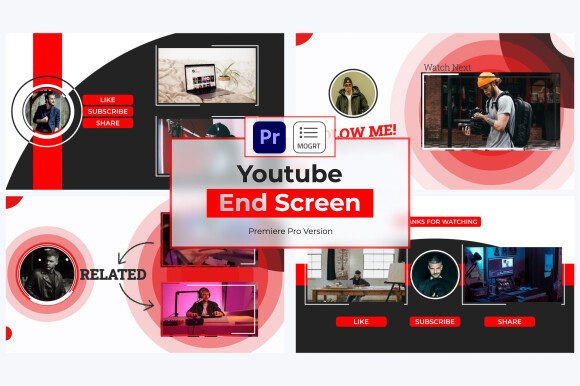
Creating compelling video content, especially for platforms like YouTube and Instagram, often feels like a race against time. You have a great idea, but the technical execution—designing lower thirds, transitions, and text overlays that look modern and professional—can bog down the entire production process. This is where Youtube Insta Stories V1 | Premiere Pro steps in. It’s not just a collection of templates; it’s a toolkit designed to bridge the gap between a raw video file and a polished, audience-ready story. For creators who need to maintain a high output without sacrificing quality, this MOGRT (Motion Graphics Template) project offers a streamlined solution that integrates directly into your editing timeline.
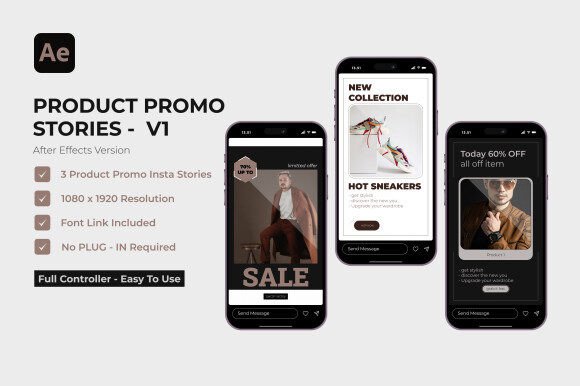
The visual character of YT Insta Stories is distinctly contemporary and energetic. Think clean sans-serif typography, fluid motion, and a layout style that feels native to social media feeds. The aesthetic leans into modern typography trends—bold text, subtle animations, and a sense of immediacy. It’s the kind of visual language that says “watch this now” without being overly aggressive. The templates carry a personality that is both professional and approachable, making them versatile for a wide range of content niches, from tech reviews and lifestyle vlogs to educational tutorials and brand announcements.
A Practical Toolkit for Modern Storytellers
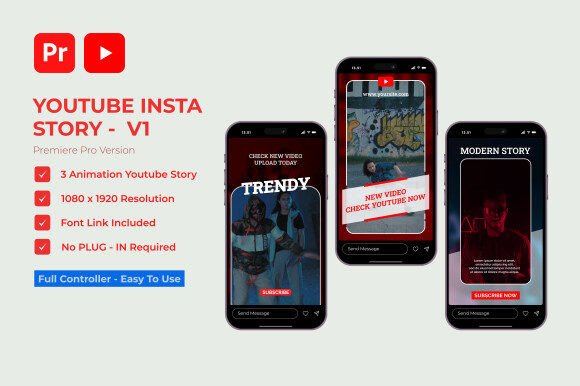
At its core, Youtube Insta Stories V1 | Premiere Pro provides three unique story templates within a single, well-organized project. The “drag and drop simplicity” isn’t just marketing speak; it’s a fundamental design choice. Because these are MOGRT files, they appear in your Essential Graphics panel, allowing you to simply drag a template onto your timeline above your footage. From there, all customization happens in one place. You can change colors, swap out fonts, and edit text directly in Premiere Pro without ever opening After Effects. This workflow is a game-changer for efficiency, particularly for small business owners or solo creators who wear multiple hats.
The real-world value here is in the full creative control it affords. The templates are built with a clear visual hierarchy, but they are not rigid. The “easy color customization” feature means you can instantly apply your brand’s color palette. This is critical for maintaining brand identity across all your video content. A consistent color scheme, even in your text overlays and transitions, reinforces recognition and professionalism. The project is designed to be a flexible design asset, not a one-off effect. You can use the same template for a weekly series, changing the content and colors each time, ensuring your output remains fresh yet consistently on-brand.
Integrating Professional Design into Your Workflow
Where does a tool like YT Insta Stories fit best? Its strength lies in digital-first content. It’s perfectly suited for YouTube intros and outros, Instagram Reels, TikTok videos, and even LinkedIn video posts where a polished look can significantly boost engagement. For entrepreneurs and marketers, these templates are ideal for creating quick promotional clips, product demos, or event announcements that need to look sharp and be produced rapidly. The fact that no additional plugins are required removes a major technical barrier, making it accessible even if you’re not a motion graphics expert.
Choosing to use a template pack like this is a practical decision about resource allocation. Instead of spending hours crafting a single lower third animation, you can invest that time into scripting, filming, or community engagement. The included font link is a thoughtful touch, ensuring you can match the intended typographic style exactly. However, the compatibility with any fonts means you are never locked in. You can pair these templates with your existing brand identity fonts, whether that’s a clean sans serif font for a tech brand or a more expressive script font for a lifestyle channel.
Evaluating fit is straightforward. Ask yourself: Does the visual energy of these templates match my content’s tone? If your videos are fast-paced, informative, or style-driven, the dynamic motion and modern design will likely complement them well. For more subdued, cinematic content, you might use the templates more sparingly or adjust the animation speeds. The key is to use these design assets to enhance your storytelling, not overshadow it. They should feel like a natural extension of your video, not a distracting add-on.
Maximizing Impact and Efficiency
The influence of well-designed on-screen graphics on audience engagement cannot be overstated. Clean, animated text can guide the viewer’s attention, emphasize key points, and break up visual monotony. Youtube Insta Stories V1 | Premiere Pro leverages this by providing templates that are built for clarity and impact. The seamless color adjustment ensures that your text remains readable against various video backgrounds, a crucial consideration for readability. When your graphics look professional, it elevates the perceived value of your entire channel or brand, building trust with your audience.
For those working in teams or managing multiple projects, the “well-organized for efficiency” aspect is a significant benefit. A logical project structure means less time hunting for files and more time creating. This organizational clarity is a hallmark of a quality premium font or asset pack—it respects the user’s time. Whether you’re a content creator batching videos for the week, a marketer crafting a campaign, or a hobbyist sharing your passion, the goal is the same: to tell your story effectively. Tools like YT Insta Stories remove the friction from the design portion of that process, allowing your message to take center stage.
In the end, the value of Youtube Insta Stories V1 | Premiere Pro is measured in the hours saved and the quality gained. It’s a practical, no-nonsense solution for a common creative challenge. By providing a flexible foundation of motion graphics, it empowers you to focus on what truly matters—your content, your message, and your connection with your audience. It’s a smart addition to any video creator’s toolkit, designed to help you work smarter and present your stories with the polish they deserve.